
← Back to home

Product — DigitAI OS

GPT-6.1 SOL

A lot of AI work.
Too little visibility.

Tasks sit in chats, answers in different tools. What is happening now – and what needs your decision?

Illustration: tasks, chats, results and questions in different places.

Watch the film · 0:57

From an idea to a reviewable project.

From an idea to a reviewable project. · English · 0:57

You search for answers. The work waits.

  • Scattered questions

    The reasoning is in one chat, the next step in another.

  • Open decisions

    It is unclear what needs your approval.

  • Hidden dependencies

    Who is waiting for which result?

See what is happening. Discuss what matters.

A shared overview can bring projects, responsibilities and open decisions together.

See how this looks in DigitAI OS
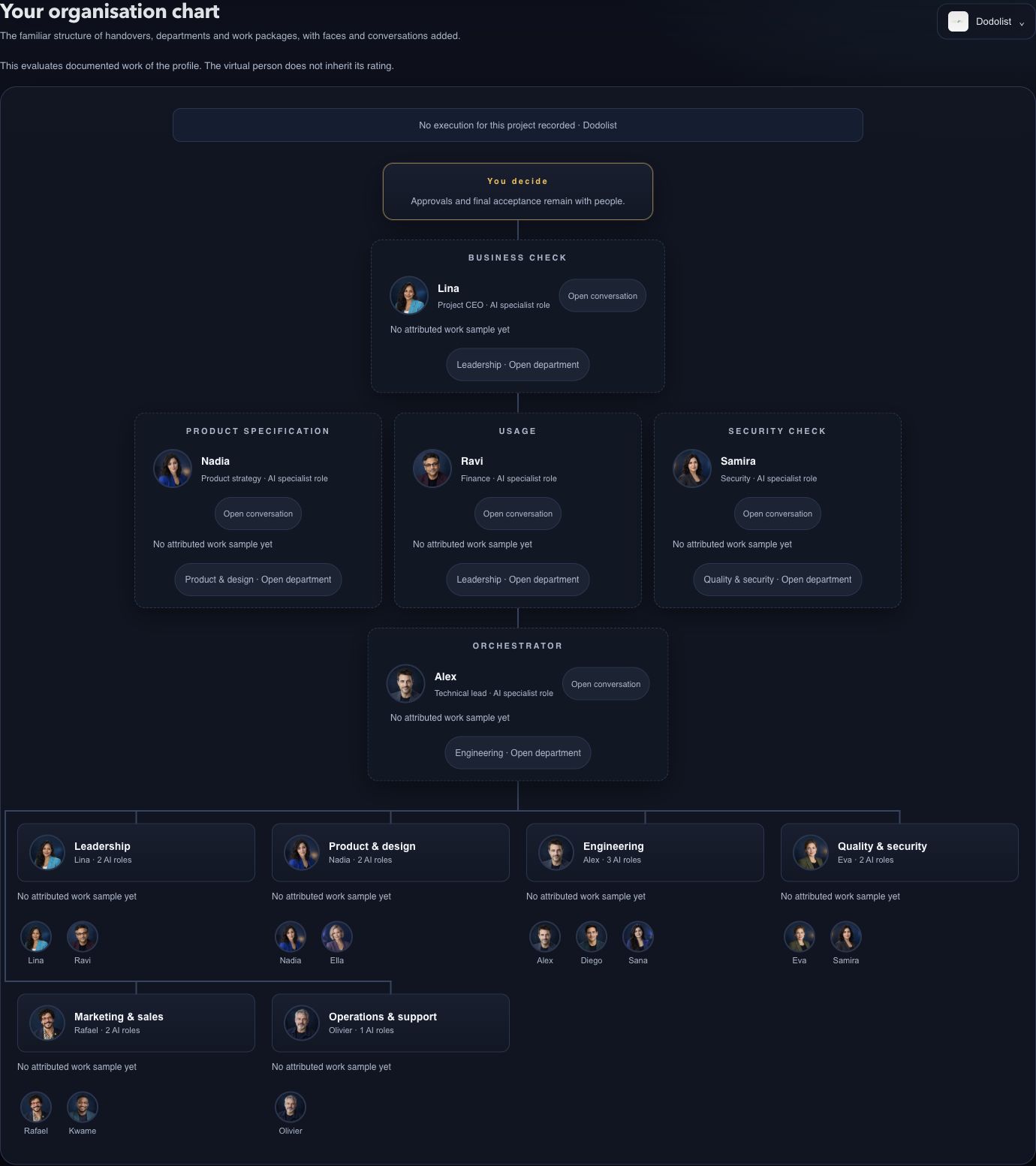
  1. ProjectWhat is it about?
  2. RoleWho is responsible?
  3. DecisionWhat needs you?
  4. ResultWhat is available?

DigitAI OS

Your AI team becomes visible. With DigitAI OS.

Choose a view and discover what you can do there.

01

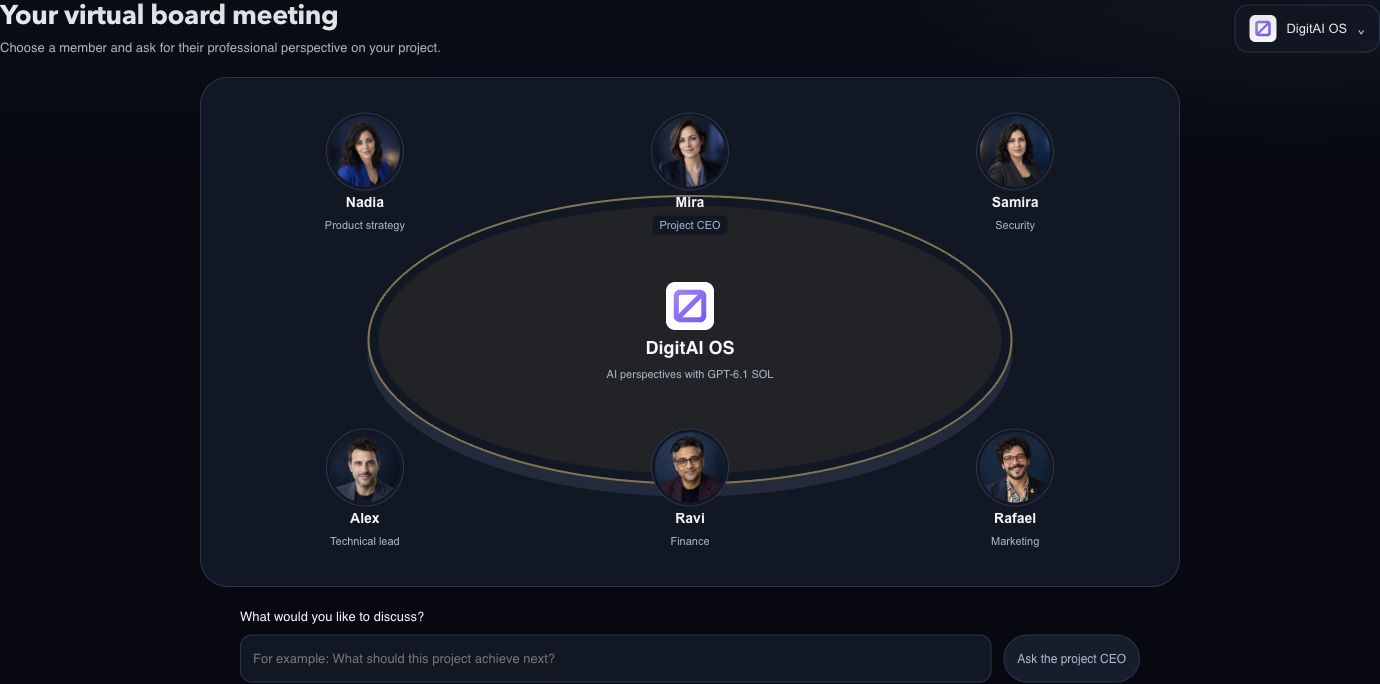
One question. Several professional perspectives.

Choose the project CEO, product, technology, security, marketing or finance. Ask the selected member for their view on your project.

Actual DigitAI OS virtual board meeting with six international AI specialist roles

Actual product view · Virtual people are AI roles

04

What happened since?

History turns results, pending reviews and setbacks into a readable timeline. Technical model statistics remain available separately when needed.

  • Result documented What was delivered?
  • Awaiting review What needs your decision?
  • Stopped or failed What is the next step?
Interactive demo · stays on this page

Get to know your AI team.

Click Rafael. Explore his skills and give the next task your own focus.

Not yet rated

0 demo tasks

Expertise you can explore.

A profile brings together specialist skills, recorded experience and your judgement of the work.

  • Explore skillsUnderstand and adjust instructions.
  • Build experienceSpecific tasks, no invented scores.
  • Review the workStars for an answer and its relevant skill.
  1. TaskThe role uses its loaded skills.
  2. Experience & feedbackYour review applies to specific work.
  3. Next taskInstructions go into the new context.

In the real workspace, experience and your corrections are passed into later tasks. People award stars. This does not retrain the model or guarantee better results.

Open your enabled workspace
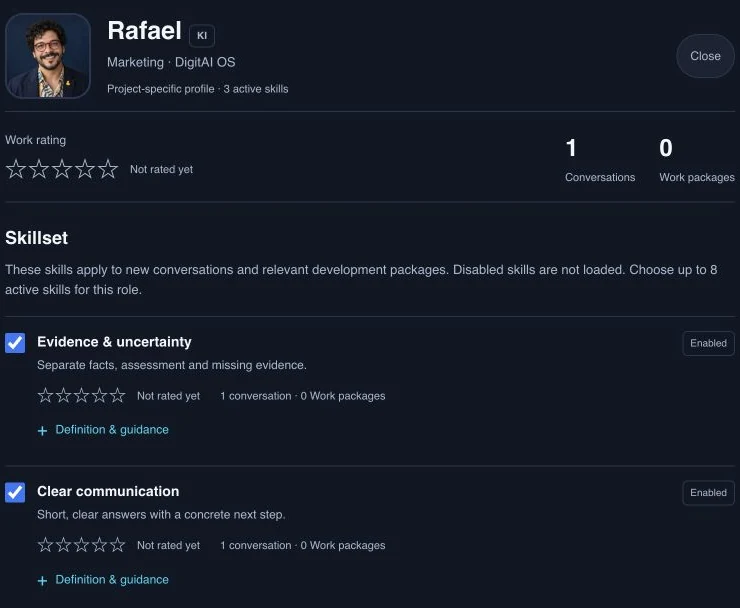
See the actual employee profile
Actual Rafael profile in DigitAI OS with loaded skills, one conversation and no star rating yet
Actual product view, 3 October 2026 · Rafael · 1 conversation · not yet rated. These values are separate from the demo.

Ratings grounded in evidence.

You rate specific answers and the relevant roles and skills with 1–5 stars. Without a human review, stars remain open. Historical work samples are shown separately from current role ratings.

International. Different perspectives.

A mixed virtual team with clear specialist roles. There is room for creative ideas too: Rafael from marketing brings his own perspective and a little humour.

How work moves forward.

  1. 01

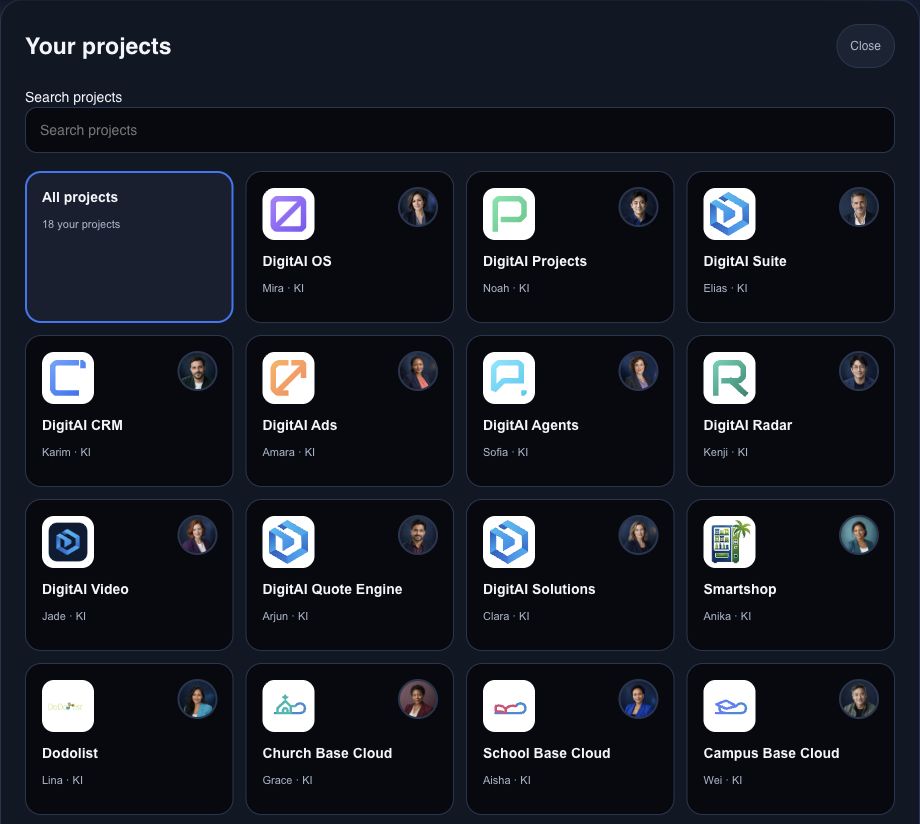
    Choose a project

    See its logo, pitch and virtual CEO.

  2. 02

    Clarify a question

    Consult the board or a specialist.

  3. 03

    Start a task

    Set the outcome and acceptance criteria.

  4. 04

    Review the result

    Read the evidence and make a decision.

Configured for your workspace.

DigitAI OS is already in use in the internal DigitAI workspace. For your organisation, we agree on projects, roles, data access and execution integrations together. A visible project logo alone does not mean an automatic technical integration.

Virtual people represent AI specialist roles. A consultation does not start implementation. Approvals and final acceptance remain with you.

DigitAI OS

Bring your AI team to the table.

Let’s identify which projects, people and AI tasks you want to make visible first.